• Skip to main content
EuroSTAR 2027 - Sign up for early access

EuroSTAR Conference

Europe's Largest Software Testing Conference.

  • Programme
    • EuroSTAR Global Series
    • Call for Speakers
    • 2026 Programme
    • Community Hub
    • Awards
  • Attend
    • Why Attend
    • Bring your Team
    • Testimonials
  • Sponsor
    • Sponsor Opportunities
    • Sponsor Testimonials
  • About
    • About Us
    • Our Timeline
    • FAQ
    • Blog
    • Organisations
    • Contact Us
  • Book Now

Expo

Lowering Testing Barriers with Computer Vision-Based AI

April 30, 2024 by Lauren Payne

The constant surge in digital transformation forces organizations to perform tests on an increasing number of platforms but still get results as quickly as possible. Manual testing just can’t keep up with the speed of business, so teams turn to test automation. But traditional software testing tools are only effective to a point. Generally, these tools rely on identifying objects on the screen through their internal representation—e.g., coordinates, class name, type, and many other. This method of identifying objects can be very fragile. Even a small change might result in the tool failing to find the object. The drawbacks of these techniques prevent teams from scaling their test automation efforts up to the levels they require.

To that end, the most common test automation challenges include:

•      Relentless test maintenance—Tests that rely on unique object properties can be susceptible to breaks, thereby making testers perform regular updates to ensure their tests still run on each supported environment.

  • Test execution time is too long—Even if a test set runs without interruption, it can take a significant amount of time to run all the tests to completion.
  • Insufficient test coverage—Teams must support an ever-expanding range of platforms, devices, and operating systems, requiring testers to customize the tests for each environment.
  • Test creation fatigue—It takes time to build and design effective tests, with much effort required to uniquely identify on-screen objects that are part of the test.

What our research at OpenText revealed was that automated object detection with computer vision is key to lowering these barriers.

Computer Vision-Based AI for Automated Object Detection

Recognizing objects without knowledge of their internal representation is one key objective to developing an AI engine. This goal can be accomplished by combining AI-based algorithms that accurately and consistently recognize objects regardless of device or environment.

For example, a test step might require clicking the shopping cart icon on a mobile app. The AI engine should be able to locate the shopping cart icon on the current screen without knowing:

  • If the screen is on a mobile device.
  • Whether the device is running Android or iOS.
  • If the screen is a desktop browser.
  • Whether it’s Chrome, Firefox, Edge, or another browser.

The ability to “Click the shopping cart” step should work under any circumstance with an AI engine using computer vision through an artificial neural network and optical character recognition.

Why Computer Vision?

An AI engine understands a screen’s composition and breaks it down into the unique objects that it contains. Additionally, the AI engine knows nothing about the implementation of the object. It treats the object as an image, regardless of the device or platform it comes from. As such, a powerful computer vision tool is needed and should be supported by an artificial neural network (ANN), a layered structure of algorithms that classify objects. It will train the ANN with many visual objects, resulting in a model that identifies objects it will likely encounter in applications under test (AUT). Thus, when the AI engine is tasked with locating a specific object, it utilizes the model to identify a match in the AUT.

In terms of architecture, a best practice is to implement the AI engine as a separate module. Rather than restricting it to a specific product, any product can theoretically use the engine.

OCR-Based Identification for Text Objects

AI engines also need to leverage OCR to identify text-based objects. These objects may themselves be part of the test, or they could function as a hint to identify the object’s relative location. This capability is useful if an object appears multiple times on a screen. For example, a login screen might have two text boxes, one for the username and one for the password. OCR helps identify which of the edit boxes is which. OCR can also identify a button by its textual caption.

Lowering and Removing Test Automation Barriers

AI-based test automation reduces the time it takes to build and design tests because objects are identified simply by looking at them. AI algorithms lower skill barriers because they identify most objects and are hidden from the user. Teams can also use the same test without modification on different devices and platforms. They simply procure an appropriate device and run the test on it as-is. And because the algorithm doesn’t rely on an object’s underlying implementation and properties, the test keeps running even if there is a change. If the test’s flow stays the same, the test will continue to run.

The final barrier yet to be removed completely is test execution time. Tests will always take a finite time to run; hence there is a lower limit on the amount of time they take. However, AI-based testing helps teams test earlier and provides robust mechanisms that parallelize and optimize test execution, reducing the wait time for results.

Author


Michael O’Rourke
, Product Marketing Manager, DevOps Cloud 

Michael O’Rourke is a product marketing technologist in cloud, enterprise software, and DevOps. His diverse background derives from 20 years of experience at HPE, IBM, T-Mobile, Micro Focus, and more. He holds a degree in Management Information Systems and is a certified Product Owner, Scrum Master, PMP, and Pragmatic Marketing practitioner. He is also an international speaker, trainer, and blogger. At OpenText, Michael drives the development and execution of go-to-market strategies for OpenText’s DevOps Cloud. 

OpenText is an EXPO Gold Sponsor at EuroSTAR 2024, join us in Stockholm.

Filed Under: EuroSTAR Expo, Gold, Software Testing Tagged With: 2024, EuroSTAR Conference, Expo

The Essentials of Test Data Management in Modern Software Development 

April 25, 2024 by Lauren Payne

In today’s fast-paced software development world, Test Data Management (TDM) is more than a technical necessity; it’s a strategic asset. Let’s unpack the essentials of TDM and how it influences the quality, efficiency, and compliance of software testing. 

The Core of Test Data Management 

At its heart, TDM is about efficiently creating and managing data used for testing software applications. This involves ensuring the data is realistic, comprehensive, and secure, enabling testers to simulate real-world scenarios accurately. 

Key Challenges in Test Data Management 

  1. Data Complexity: Modern applications demand complex and diverse data sets. TDM solutions must provide ways to generate and manage these data sets efficiently. 
  2. Data Privacy and Compliance: With regulations like GDPR, ensuring test data complies with privacy laws is crucial. TDM plays a vital role in anonymizing and protecting sensitive information. 
  3. Efficient Test Data Management: Balancing the need for quality data with storage and performance constraints requires efficient management of test data, often across multiple environments. 

Approaches to Effective Test Data Management

  • Data Insight: Understanding the structure and dependencies within your data is vital. Data insight tools aid in creating more effective and relevant test data by providing a deeper understanding of the underlying data. 
  • Data Masking: A critical aspect of TDM, data masking involves obscuring sensitive data within a test dataset. It ensures that the privacy and integrity of personal or confidential data are maintained, while still providing a functional dataset for testing. 
  • Synthetic Data Generation: This involves creating artificial, non-sensitive data that closely mimics real-world data, addressing both complexity and privacy concerns. 
  • Data Subsetting: This approach focuses on creating smaller, more manageable versions of your databases that contain only the data necessary for specific tests. It helps in reducing storage requirements and improving the performance of test environments. 
  • Database Virtualization: Virtualizing databases allows for the creation of multiple, isolated test environments without physically replicating data. It’s essential for managing test data across different scenarios efficiently and reducing storage costs. 
  • Automated Test Data Provisioning: Automation in TDM can significantly reduce the time and effort required to prepare test data, leading to more agile and efficient testing cycles. 

The Impact of TDM on Software Development 

Implementing robust TDM strategies leads to: 

  • Improved Software Quality: Accurate and comprehensive test data ensures more effective testing, leading to higher-quality software. 
  • Enhanced Compliance: With proper data masking and anonymization, TDM helps in maintaining compliance with data privacy laws. 
  • Increased Efficiency: Automated and streamlined TDM processes contribute to faster testing cycles, reducing time-to-market for software products. 

Conclusion

Test Data Management is an indispensable part of modern software development. Its impact on software quality, compliance, and efficiency cannot be overstated. Whether you’re a developer, a QA professional, or a project manager, understanding and implementing effective TDM practices is key to the success of your software projects. Tools like DATPROF play a supportive role in this journey, offering practical solutions to the complex challenges of TDM. Come meet us at EuroSTAR to learn more and see DATPROF in action! 

Author

Maarten Urbach

Maarten Urbach has spent over a decade helping customers enhance test data management. His work focuses on modernizing practices in staging and lower level environments, significantly improving software efficiency and quality. Maarten’s expertise has empowered a range of clients, from large insurance firms to government agencies, driving IT innovation with advanced test data management solutions.

DATPROF is an exhibitor at EuroSTAR 2024, join us in Stockholm.

Filed Under: Development, Sponsor Tagged With: 2024, EuroSTAR Conference, Expo

Top 10 Quality Issues to Solve at EuroSTAR 2024

April 23, 2024 by Lauren Payne

As we approach another EuroSTAR in Stockholm, many of us in IT and testing are reflecting on how we can improve our processes and strategies. It will be halfway through 2024, a time of year when doubts and concerns can creep in about our testing goals and improvements. 

As you review your software quality strategy, I’d like you to reconsider our impulse towards ever-increasing test automation. Are we falling into the trap of trying to eat faster to lose weight? By only accelerating our efforts, we fail to confront the real root causes of testing inefficiencies and bugs.

You can’t automate quality into software

Just as diet fads promise thinness through gimmicks, we’ve been sold a fantasy. It promises us that more test automation will solve all our quality problems. But, while judicious automation provides value, many teams over-invest in automation at the cost of broader quality blockers. 

When you have a hammer, everything looks like a nail, so teams hammer away endlessly to construct vast automated architectures. Meanwhile, quality lingers at the same mediocre levels.

10 Software Quality Issues to Address at EuroSTAR 2024

A common set of fundamental issues plague software projects. Teams often cite problems like:

  1. Confidence and Stability – Frequent defects erode trust in releases
  2. Defects into Production – Poor protection of live environments
  3. Insufficient Test Time – Perpetual last minute “hardenings”
  4. Release Uncertainty – Go/no-go decisions go down to the wire
  5. Failing Requirements – Poorly defined scope leads to endless clarifications
  6. Developer Rework – High levels of unplanned work
  7. Team Misalignment – Lack of transparency across functional groups
  8. Knowledge Silos – Bottlenecks form around key people or tools
  9. Bloated Testing – Massive, unwieldy automation suites requiring heavy maintenance
  10. Technical debt – Volumes of (re)work build over time, with insufficient knowledge to tackle it

Rather than focus on accelerating test execution speed, we need to confront why these problems arise in the first place. Increasing execution automation acts as a bandage; quality gaps stem from deeper process and strategy issues.

From silver bullets to software quality

At EuroSTAR 2024, let’s resolve to understand these root causes and thoughtfully solve them. For example, what drives unstable requirements? Is our analysis happening too late? What drives last minute surprises? Are we integrating and testing incrementally? Do our teams have transparency to coordinate their efforts? Are our tools and environments configured efficiently?

Thoughtful process analysis and improvement is less flashy than automation. Yet, it is far more impactful. Techniques like value stream mapping can uncover waste and barriers. Then, we can apply lean principles like limiting work in progress, optimizing flow, and amplifying feedback loops.

Rather than mindlessly generate more test cases, we should carefully curate automated checks to maximise value. Shifting left helps prevent defects, while good pipelines and test data strategies better isolate changes to fail fast. Teams skilled in exploratory testing and bug advocacy can further spotlight weaknesses early.

A measured (and measurable) approach to software quality

Let’s ring in EuroSTAR 2024 with renewed discipline against reactive thinking. Measure first, understand next, then optimize sustainably. Partner with stakeholders to align priorities. Anchor automation in business needs, not false promises of all-encompassing test suites. Spend smart to conserve budget for high-impact interventions.

Test excellence comes not from hasty automation, but thoughtful rigor, transparency, and accountability. Progress may seem slower, but leads to stable, high-velocity teams. Development, testing, and operations must come together as one delivery team sharing data, tools, and practices.

By taking a measured, evidence-based approach, we can target the disease rather than just treat the symptoms. Just as sustainable diets come from lifestyle changes, let’s commit to curing our quality ills through systems thinking. 

This year, at EuroSTAR, let’s fix the fundamentals. Our automation will still be there to serve us, at sustainable velocities and capacities serving downstream needs. Set aside reactionary tactics, and instead bank quality through proactive strategies. Another EuroSTAR brings new perspectives, if we remain open to self-reflection and growth.

Restoring Confidence and Alignment with Curiosity Modeller

I speak to many organizations who experience the recurring quality issues and process misalignments discussed in this blog, each eroding their release confidence.

These challenges all have common roots:

1.     Lack of transparency;

2.     Incomplete system comprehension;

3.     Inadequate feedback loops;

4.     Unconnected teams. 

Too often software gets built fast then tested slow. Teams lack shared artifacts to capture decisions and expected behaviours, undermining unified understanding.

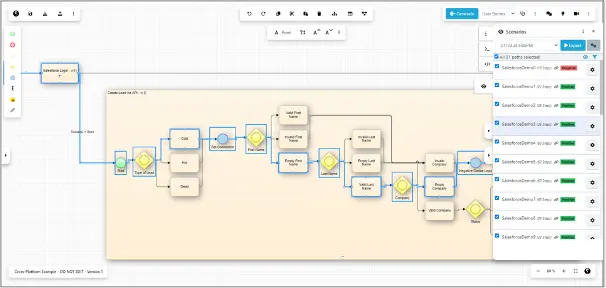
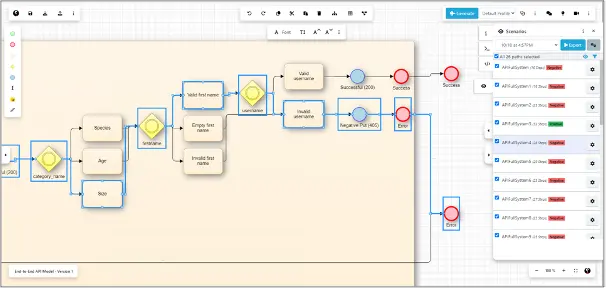
Curiosity Modeller tackles these systemic issues by making system behaviour explicit early through collaborative models. These living models form the core artifact driving understanding, alignment and test generation.

Curiosity Modeller restores confidence and release quality by:

  • Visualizing expected functionality clearly across groups – no more hidden assumptions or differing interpretations of requirements.
  • Auto-generating optimal test cases to validate actual vs intended behaviour – preventing defects via early testing and signalling.
  • Producing regenerative tests tied directly to the models – no more realigning stale regression suites or maintaining copious test automation artifacts.
  • Enabling behaviour simulation for rapid prototyping – failing fast to prevent downstream rework.
  • Integrating with test execution and auto-generating Test Automation – overcoming misalignment, endless maintenance and skills silos.
  • Supporting API testing to safely exercise business logic – going beyond fragile end user flows.
  • Generating high-value test data to focus coverage on key scenarios – informed by risk models.

Shift left to deliver quality

Instead of intensifying downstream testing, Curiosity Modeller shines a light starting left in the lifecycle. Visual flows form the central artifact aligning groups on system behaviour, while preventing defects before code gets written. This proactive approach restores trust, accelerates releases, facilitates coordination and uplifts quality engineering. It delivers confidence through deep comprehension.

Find us at EuroSTAR 2024!

The Curiosity team will be in the EuroSTAR Expo hall in Stockholm – drop by to discuss how you can build software confidence early and throughout your delivery pipeline. Before then, why not head to our website to learn more about Curiosity Modeller, try it for yourself, and talk to us about your quality needs?

Author


Rich Jordan

Rich Jordan has spent the past 20 years leading change within the testing industry, primarily within Financial Services. He has led enterprise transformations and quality teams who have won awards in both Testing and DevOps categories. Rich has been an advocate of model-based test automation and test data innovation for over a decade, and joined Curiosity in November 2022.

Curiosity Software is an Exhibitor at EuroSTAR 2024, join us in Stockholm.
Filed Under: EuroSTAR Conference Tagged With: EuroSTAR Conference, Expo

How to Implement Software Test Automation: The QA Leader’s Guide

April 16, 2024 by Lauren Payne

When it comes to developing software, testing is not just a phase; it is a mission-critical function. Each line of code written demands meticulous scrutiny to ensure the end product meets user expectations.

Modern software has become far more complex than ever before. Today’s users expect more features and capabilities across multiple devices. There is increased demand for intuitive interfaces, real-time updates, and flawless performance — all necessitating exhaustive testing.

The need for a more efficient approach is apparent. Automation offers a beacon of hope for quality assurance (QA) leaders striving to optimize their processes.

QA Leaders: Today’s Automation Champions

Over the past decade, the role of the quality assurance (QA) leader has undergone a profound transformation. They have become the vanguards of automation, with the responsibility to steer their teams towards a more efficient and impactful testing process. This shift is not just a response to industry trends; it is a strategic move driven by the escalating complexity of modern software.

Of course, while automation enhances efficiency, it does not replace the critical role of human QA professionals. In fact, testing jobs in the US alone are predicted to increase by 25% in the next decade. Testers’ unique ability to think creatively, design complex test scenarios, and apply domain knowledge ensures that QA professionals will always play a key role in maintaining the overall quality of software products.

The Automation Advantage

When software development is moving at breakneck speed, with top companies deploying software multiple times per day, automation is the key to keeping up with the pace of innovation. Here are just some of the reasons why automation is so important for software testing:

  1. Speed and efficiency
  2. Consistency in performance
  3. Reusability of test scripts
  4. Improved test coverage
  5. Early detection of defects
  6. Resource savings
  7. Parallel testing
  8. Continuous testing

Automation in software testing is not just a trend, but a necessity.

Download the 30-60-90 day plan for qa leaders

Overcoming Common Implementation Hurdles

Despite the clear benefits of automation, there is still hesitation for some organizations to take the leap and automate their testing. This reluctance often stems from misconceptions about complexity and resource requirements.

Busting Complexity Myths

Contrary to popular belief, implementing test automation doesn’t require testers to be seasoned programmers. In fact, there’s an array of low-code and no-code tools specifically designed to empower testers to create effective test scripts without delving into complex coding.

The key lies in understanding that automation is not a barrier but a gateway to enhanced testing capabilities.

Unlocking the Door to Stakeholder Support

Another common hurdle for QA leaders is gaining stakeholder support for automation initiatives. Stakeholders often overlook the value of investing in software testing. However, research shows that organizations can achieve a net present value (NPV) of $4.69 million and an impressive return on investment (ROI) of 162% by leveraging the right automation tool.

When implemented thoughtfully, QA leaders can showcase improved efficiency, reduce time-to-market, and see tangible returns on investment within 9 months.

A Roadmap to Automation Success

Implementing automation need not be an arduous journey. When executed with precision, automation brings about transformative results. QA leaders can spearhead this transformation by focusing on three key aspects:

1. Accessible Automation Tools:

  • Explore user-friendly tools that require minimal coding expertise.
  • Leverage low code/no code platforms to empower testers without extensive programming backgrounds.
  • Opt for tools that offer UI testing capabilities, streamlining the process for non-technical team members.

2. Training and Support:

  • Invest in training programs to upskill the existing team on automation tools.
  • Provide continuous support and mentorship to ease the transition from manual to automated testing.
  • Foster a collaborative environment where knowledge sharing is encouraged.

3. Strategic Planning and Evaluation:

  • Develop a comprehensive 30-60-90 day plan outlining automation milestones.
  • Regularly evaluate progress and make necessary adjustments to ensure alignment with organizational goals.
  • Showcase tangible results and ROI metrics within the 90-day timeframe to secure future investment.

The Path Forward

For those intrigued by the prospect of transforming their testing processes, the eBook, A 30-60-90-Day Plan for QA Leaders, serves as a comprehensive guide. Your automation plan awaits, offering a blueprint for success in the world of test automation.

Author

Anna McCowan – Software Marketing Engineer

Anna McCowan is a software marketing manager at Keysight Technologies who joined the company as a technician in the wafer lab. Anna brings a wealth of technical knowledge from her bachelor’s degree in physics from Sonoma State University. She is a published technical writer who is passionate about educating others on the remarkable innovations in software technology, always striving to bring light to the advances in her field.

Keysight is an EXPO Gold Sponsor at EuroSTAR 2024, join us in Stockholm

Filed Under: Software Testing, Test Automation Tagged With: 2024, Expo

Power Up Your Test Automation Practices With AI: Unlock Key Use Cases

April 9, 2024 by Lauren Payne

With the rapid pace of development cycles and the complexity of modern software systems, manual testing alone often can’t meet the demands of quality assurance. This is where test automation comes into play, offering efficiency, accuracy, and scalability. 

However, even with automation, challenges can still arise, such as maintaining test scripts, handling dynamic user interfaces, and detecting subtle defects. Enter AI, a game-changer poised to revolutionize test automation.

By infusing AI and ML into test automation, testers can build better automations faster through supercharged productivity, as well as improve accuracy and time-to-value through combining Generative AI and Specialized AI. Plus, testers can unlock new use cases by building AI-powered automations. 

So, what are some of the top uses for AI and ML in testing that can supercharge your application testing practices?

Deploy an agent that performs testing fully autonomously

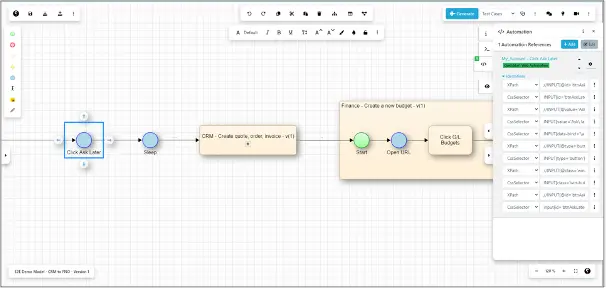
An AI-powered agent can seamlessly tackle the challenge of finding critical problems in your applications, as it can interact with an application constantly. Then, the agent can build a model of your application, discover relevant functionality, and find bugs related to performance, stability, and usability. An agent can also aid in creating a resilient object repository while navigating through a target application, gathering reusable controls for future test case development. The potential of AI doesn’t stop there—the agent can then continuously verify and refresh controls within an object repository, enabling self-healing and maintaining automated tests. 

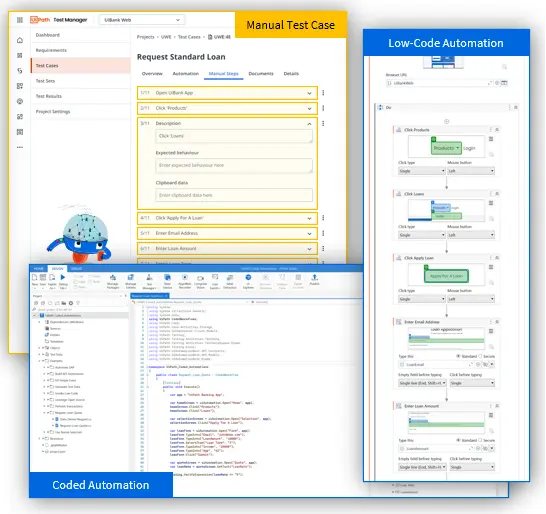
Generate automated low-code and coded tests from step-by-step manual tests

Have manual tests that you want to convert to automated tests? With the power of AI, you can accelerate automation by generating automated low-code and coded tests from manual tests, as well as leverage a flexible automation framework to ensure the resilience of your automated tests. And remember the object repository that your AI-fuelled agent assisted with creating? Equipped with this object repository, you can use AI to consider and smartly reuse any kind of object, such as buttons, tables, and fields.

Create purposeful and complex test data

With AI-infused large language models, you can supercharge your data through enhanced synthetic test data generation for manual and automated test cases. Using AI also enables you to create meaningful test data faster, allowing you to handle intricate data dependencies across multiple test data dimensions.

Streamline automated localization testing by leveraging semantic translation

By integrating AI into your test automation practices, you can leverage semantic automation and translation to remove the need for creating separate test cases for each language. The result? Maximized efficiency through seamless automated localization testing. Plus, you can run your automated test cases in different languages, allowing you to expand and scale your testing capabilities globally.

Overall, there’s unlimited potential for AI to supercharge continuous testing across the entire lifecycle—from defining stories, to designing tests, to automating and executing tests, to analyzing results.

UiPath Test Suite for AI-powered test automation

UiPath Test Suite, the resilient testing solution powered by the UiPath Business Automation Platform, offers production-grade, AI-fueled, low-code, no-code, and coding tools so you can automate testing for any technology while still managing testing your way. Later this year, you’ll be able to unlock AI-infused use cases for test automation, such as test generation, coded automations, and test insights, with Autopilot for Test Suite.

Author


Sophie Gustafson, Product Marketing Manager, UiPath Test Suite

Sophie Gustafson has worked at UiPath for two years and is currently a product marketing manager for Test Suite. Sophie has previous experience working in the consulting and tech industries, specializing in content strategy, writing, and marketing.

UiPath is an EXPO Platinum Partner at EuroSTAR 2024, join us in Stockholm.
Filed Under: EuroSTAR Conference, EuroSTAR Expo, Platinum, Sponsor, Test Automation Tagged With: 2024, EuroSTAR Conference, Expo, Test Automation

Empowering Enterprises with Seamless Test Execution on a Unified Test Execution Environment

April 2, 2024 by Lauren Payne

The digital landscape is evolving every day and ensuring software quality is extremely important To ensure the applications meet the standards of functionality, reliability, and performance, businesses rely on extensive testing practices. Nevertheless, there are many hurdles to overcome to conduct tests successfully and efficiently due to the sheer complexity and size of current software systems.

Overseeing test execution gets harder as businesses mature and their software ecosystems get more and more complex. Traditional approaches often result in inefficiencies, delays, and increased expenses because they use diverse tools, fragmented processes, and fragmented teams.

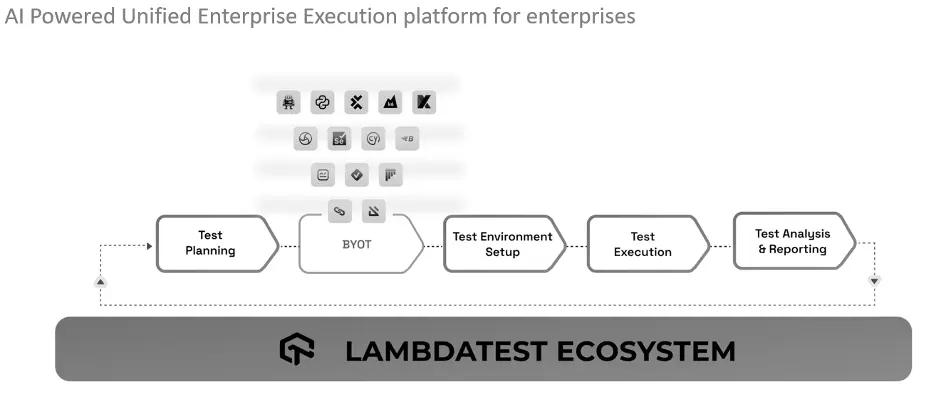
These challenges are easily resolved with a unified test execution infrastructure, providing an integrated structure for managing and carrying out tests over the entire software development lifecycle. Enterprises can broaden test execution with ease and maximize efficiency and quality via a unified infrastructure, which integrates testing tools, standardizes processes, and fosters cooperation.

Unified Test Execution – The Need of the Hour

Businesses frequently use an assortment of testing frameworks and tools to meet distinct technological and testing requirements. However supporting this fragmented ecosystem can be challenging and can cause problems with compatibility, integration, and overhead.

As teams or projects function independently in siloed test environments, it may result in duplication, inaccurate testing procedures, and a lack of visibility across the operation. It can hinder interactions, limit teamwork, and reduce the effectiveness of the testing process as a whole.

Establishing consistency, repeatability, and scalability in test execution requires standardizing testing procedures and centralizing testing infrastructure. Enterprises can gain greater oversight and insight over their testing attempts, enhance resource utilization, and accelerate workflows by implementing a unified approach in testing.

LambdaTest: Empowering Enterprises with AI-driven Test Execution

The unified test execution environment offered by LambdaTest revolutionized the way businesses plan, organize, and execute their testing activities. LambdaTest’s range of AI-powered capabilities enables enterprises to increase test efficiency, enhance test infrastructure management, and deliver software designed to be of better quality at scale.

Through an assortment of innovative capabilities, LambdaTest uses artificial intelligence (AI) to improve testing processes. Its Auto Heal feature efficiently recognizes and fixes issues with the test environment in real time, minimizing interruptions and ensuring testing operations progress. The capacity to identify test failures promptly with fail-fast capabilities allows teams to address vulnerabilities early in the development cycle and accelerate resolution, thus enhancing overall efficiency. Also, test cases get intelligently prioritized by the Test Case Prioritization functionality using AI algorithms based on their impact and likelihood of failure. Teams can reduce time-to-market and improve software quality by employing this strategic approach to focus on high-risk areas, increase testing coverage within restricted schedules, and swiftly address important issues. 

Moreover, GPT-powered RCA (Root Cause Analysis) offers deeper insights into the underlying causes of test failures by analyzing test results and historical data. By identifying patterns, trends, and potential correlations, the AI engine enables teams to address root causes effectively and prevent the recurrence of issues. Furthermore, the Test Intelligence module provides actionable insights derived from comprehensive test data and analytics. 

By aggregating metrics, performance indicators, and user feedback, LambdaTest empowers teams to make informed, data-driven decisions, optimize testing strategies, and continuously enhance software quality.

Conclusion

LambdaTest’s unified test execution environment, enriched with AI features such as Auto heal, Fail fast, Test case prioritization, GPT-powered RCA, and Test intelligence with test insights represents a significant advancement in enterprise test automation. By harnessing the power of AI, LambdaTest empowers organizations to streamline test execution, mitigate risks, and deliver superior software products that meet the demands of today’s dynamic market landscape.

Author


Mudit Singh

 A product and growth expert with 12+ years of experience building great software products. A part of LambdaTest’s founding team, Mudit Singh has been deep-diving into software testing processes working to bring all testing ecosystems to the cloud.  Mudit currently is Head of Marketing and Growth for LambdaTest.

Lambdatest is an EXPO Gold Sponsor at EuroSTAR 2024, join us in Stockholm.
Filed Under: Software Testing, Sponsor Tagged With: 2024, EuroSTAR Conference, Expo

No-code Test Automation: What it Actually Means

March 26, 2024 by Lauren Payne

No-code test automation solutions are supposed to ease build and maintenance. But does no-code actually equate to an easier and lower maintenance test automation? Well, the short answer is – it’s complicated. We’ll go into more detail below. 

In this short article, we’re going to explain:

1.    What no-code test automation actually means

2.    How to assess no-code test automation vendors

3.    The test automation fallacy

4.    True no-code test automation

What no-code test automation actually means

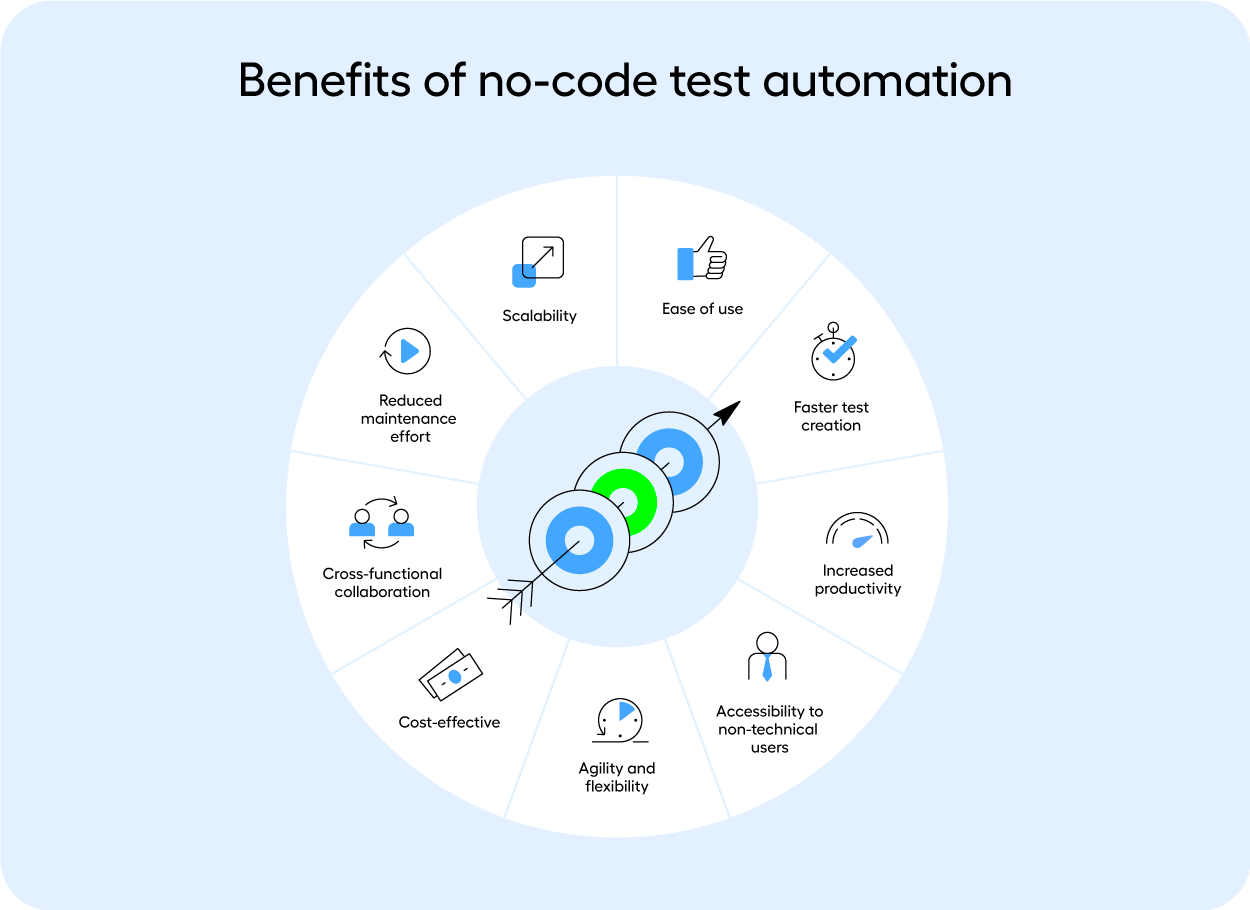
To be no-code, a solution or test automation vendor doesn’t require a user to use a programming language to build an automated test. This makes test automation accessible to the people responsible for QA.  While the underlying solution is built on top of a programming language, the user will never have to interact with code. At least, that’s how it’s supposed to be. What is sold as an easy, no-code, scalable solution is often just a thin layer of UI based on top of a complex machine.

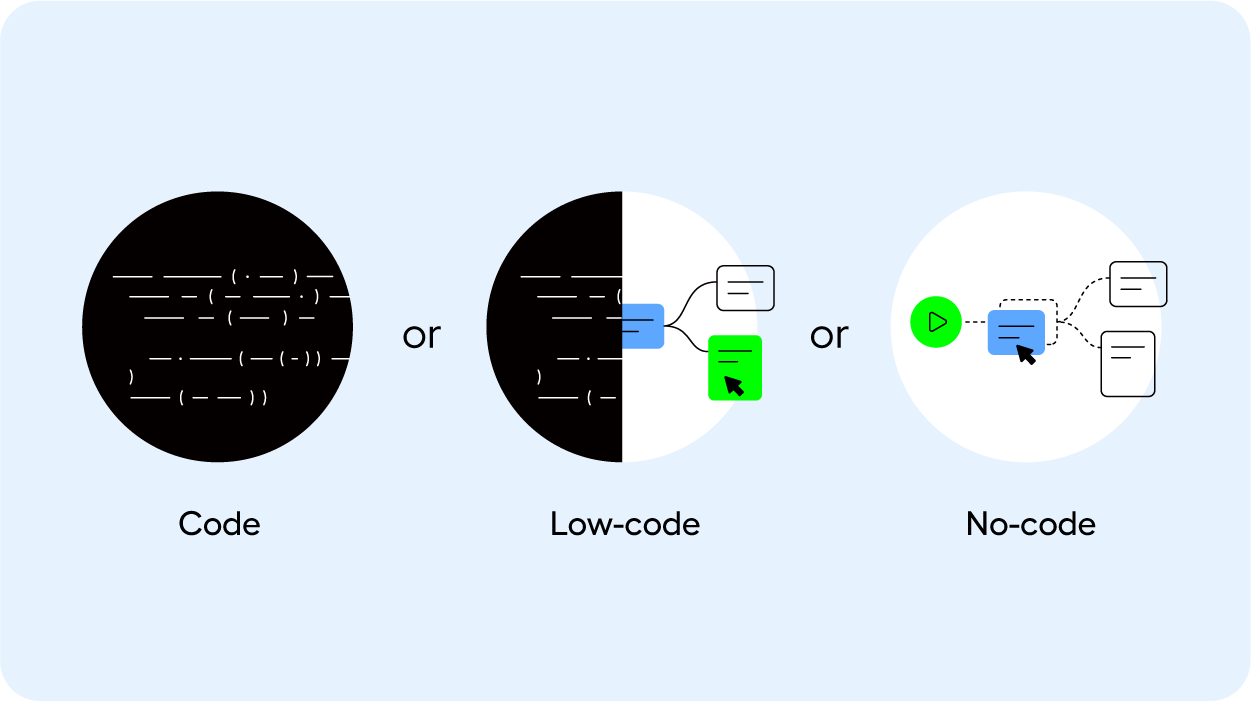
“No-code” and “low-code” are often used interchangeably as well. While in fact, they’re very different once you take a closer look. Low-code solutions do require developers, making them difficult to scale and maintain. 

And so the meaning of no-code has transformed and morphed into something that is no longer no-code So how can you assess whether a test automation vendor is actually no-code?

How to assess no-code test automation solutions

When you’re on the hunt for a test automation vendor, this is your time to put their solution to the test. 

Beyond the technology, process, and organizational fit, have the vendor show you how the solution performs on test cases that are notoriously complex for your business. 

Do they require coded workarounds to get the test case to work? Or can a business user or QA team member handle the build and maintenance of the test cases, without requiring developers? And when something breaks, how easy is it to find the root cause?

This is where you can understand whether no-code actually means no-code. 

We detail all the steps that you need to consider when you’re on the hunt for a test automation vendor in this checklist – you’ll be equipped to assess a vendor on their process, technology, and organizational fit, their ease of use and maintenance, training, and support. 

The test automation fallacy 

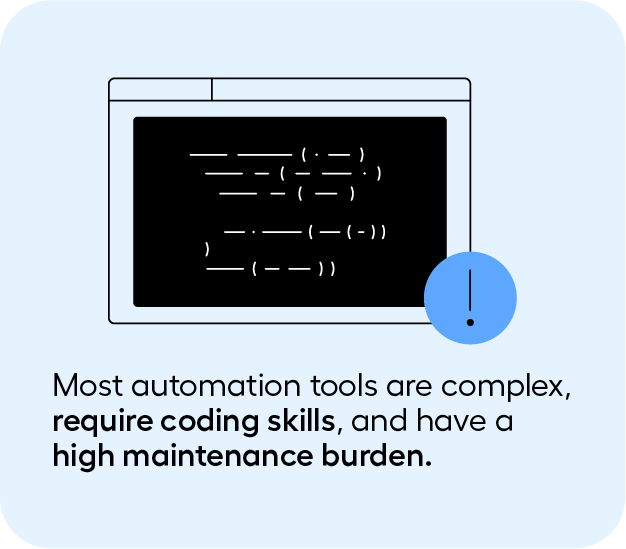
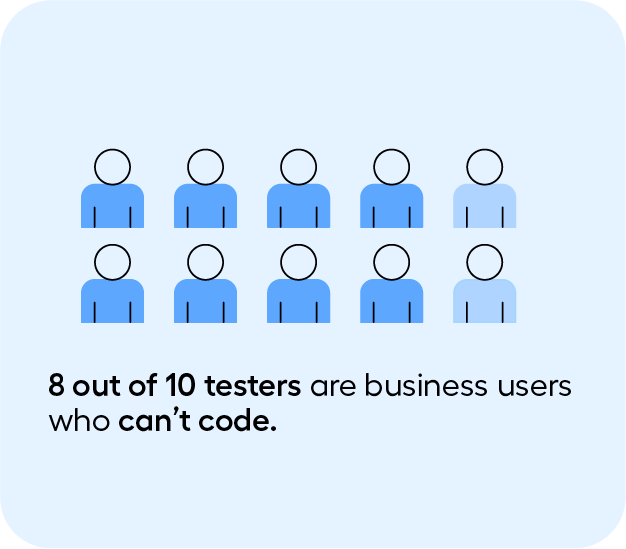
Automation tools are complex and many of them require coding skills. If you’re searching for no-code test automation, you’ll undoubtedly know that. Because 8 out of 10 testers are business users who can’t code​. 

And because of this previous experience, many have internalized three things:

1.    Test automation always has a steep learning curve – regardless of whether or not they’re no-code. 

2.    Test automation maintenance is always impossibly high

3.    Scaling test automation is not possible

But what if we told you that’s not the case. 

What if there actually was a solution that:

1.    Is easy to use, and can bring value to an organization in just 30 days. 

2.    That maintenance can be manageable, without having to waste valuable resources

3.    And that test automation can be scaled

Introducing Leapwork: a visual test automation platform

Leapwork is a visual test automation solution that uses a visual language, rather than code. This approach makes the upskilling, build, and maintenance of test automation much simpler, and democratizes test automation. This means testers, QA and business users can use test automation, without requiring developers. 

Users can design their test cases through building blocks, rather than having to use code. This approach works even for your most complex end-to-end test cases. 

Read the full article on Leapwork.

Author


Maria Homann 

Having worked for 4+ years at the forefront of the QA field to understand the pains of implementing testing solutions for enterprises, her writing focuses on guiding QA teams through the process of improving testing practices and building out strategies that will help them gain efficiencies in the short and long term.

Leapwork. is an EXPO Gold Sponsor at EuroSTAR 2024, join us in Stockholm.

Filed Under: Sponsor, Test Automation Tagged With: 2024, EuroSTAR Conference, Expo, Test Automation

How to choose between manual or automated testing for your software

March 19, 2024 by Lauren Payne

Testing software is the process of measuring a program against its design to find out if it behaves as intended. It’s performed in order to ensure that the developed app or system meets requirements and to enable further development of the product.

In the realm of software development, automated testing has become indispensable. Whilst it may require an initial investment, over time, it can more than repay the upfront cost. Manual testing offers advantages and disadvantages, such as being more prone to error yet providing insight into your visuals. Ultimately, it all comes down to what your project requires and the resources you have.

What is manual testing?

Manual testing is a type of application testing where QA or software engineers are tasked to execute test cases manually without using any automation tools. In this process, the testers utilize their own experience, knowledge, and technical skills to perform testing on the application or software in development. It’s done to find bugs and any issues in the software or application and ensure that it works properly once it goes live.

In contrast to automated testing, which can be left to run on its own, manual testing necessitates close involvement from QA engineers in all phases, from test case preparation through actual test execution.

Manual software testing with Test Center

Test Center, one of the tools in the Qt Quality Assurance Tools portfolio, provides a streamlined system for managing manual testing results, providing an overview of these alongside the automated test results. Additionally, there’s a test management section where the manual testing procedures and documentation can be set up and managed.

It has a split screen design where the left is for creating and managing the test hierarchy and includes making test suites, test cases, features, and scenarios. Meanwhile, the right pane is where changes to the test case or scenario’s description and prerequisites are made. It is also utilized to design and administer each part of a test.

What is automation testing?

Automation testing is the use of software tools and scripts to automate testing efforts. A tester will have to write test scripts that instruct the computer to perform a series of actions, such as checking for bugs or performing tasks on the target platform (e.g., mobile app or website). It helps to improve test coverage by enabling the running of more test cases than manual testing allows, and in less time.

Users with experience in scripting are needed. Tools like Selenium, QTP, UFT, and Squish are used for automation. Squish supports a number of non-proprietary programming languages, including Python, JavaScript, Ruby, Perl, and Tcl, thus, knowledge of them is advantageous.

Automated software testing with Squish

With Squish, you can automate your GUI testing across cross-platform desktop, mobile, embedded, and online apps and is usable on different development platforms. It simplifies what is typically a laborious and error-prone process – testing the user interface of today’s new and evolving apps.

Squish supports functional regression testing and automated GUI functional testing. It also helps you to automatically test your application in different environments, simulating users’ actions in a controlled and repeatable manner.

It includes: 

  • Full support for all leading GUI interfaces
  • Complete compatibility for various platforms (PCs, smartphones, web, and embedded platforms)
  • Test script recording
  • Robust and trustworthy object identification and verification techniques
  • Independent of visual appearance or screenshots
  • Efficient integrated development environment (IDE)
  • A large selection of widely used scripting languages for test scripting
  • Full support for behavior-driven development (BDD)
  • Full control with command line tools
  • Support for integrating test management with CI-Systems

Choosing manual or automated testing – Pros & Cons

There are a number of factors to consider when choosing between the two. For one, the biggest challenge facing software developers is the deadline. If the completion date is missed, then the company could lose customers. There is also an issue with budgets, as automated testing will require setup and maintenance.

Both solutions offer advantages and disadvantages, so you will need to examine them based on your needs. Here’s a closer look:

Manual testing

Pros:

  • Costs less than automated testing to initiate
  • Gives room for human perception, which helps provide insights into user experiences
  • Can provide valuable human feedback on your visuals (such as the colors, fonts, sizes, contrast, and button sizes used)
  • More efficient when test cases only need to be run once or twice
  • Small modifications can be applied quickly without having to be coded
  • Best for exploratory, usability, and ad-hoc testing

Cons:

  • Can be time-consuming and labor-intensive for QA engineers or testers
  • There is a possibility of human error
  • Cannot be reused – repetitiveness can lead to the work being quite tiring and dull for QA engineers or testers
  • Scales poorly as more manual testers would be needed for larger and more sophisticated applications

Automated testing 

Pros:

  • Works faster since it doesn’t rest or sleep
  • Has the ability to find more defects
  • Good for repetitive test cases
  • Can run multiple tests simultaneously
  • Increases the breadth of coverage compared to manual
  • Can be recorded and reused for similar test cases
  • Best for regression, performance, load, and highly repetitive functional test cases
  • Larger projects may require more manpower, but still less than manual testing as only new test scripts need to be written

Cons:

  • Exploratory testing is not possible
  • Needs to be coded
  • Unable to take human factors into account so it is unable to provide user experience feedback
  • Small modifications will have to be coded which can take time
  • Initial test setup and the required maintenance can be expensive

In most instances, automated testing provides advantages, but all technology has limits. When creating anything to enhance the consumer experience, human judgement and intuition provided by manual testing can make a difference.

Deciding on whether automated or manual testing is better for your organisation will largely depend on the number of test cases you need to run, the frequency of repeated tests, and the budget of your team. 

Ideally, your organisation should incorporate both as they each have their own merits. There are many instances where manual testing is still necessary and where automated testing could be more efficient. Either way, these two software testing methods are both important assets.

Read more about quality assurance from our comprehensive guide here: The complete guide to quality assurance in software development

Author


Sebastian Polzin, Product Marketing Manager,
Qt Quality Assurance

The Qt Company is an EXPO Gold Sponsor at EuroSTAR 2024, join us in Stockholm.

Filed Under: Gold, Software Testing, Sponsor Tagged With: 2024, EuroSTAR Conference, Expo

  • « Previous Page
  • Page 1
  • …
  • Page 4
  • Page 5
  • Page 6
  • Page 7
  • Page 8
  • Next Page »
  • Code of Conduct
  • Privacy Policy
  • T&C
  • Media Partners
  • Contact Us

part of the