• Skip to main content
EuroSTAR 2027 - Sign up for early access

EuroSTAR Conference

Europe's Largest Software Testing Conference.

  • Programme
    • Call for Speakers
    • 2026 Programme
    • Community Hub
    • Awards
  • Attend
    • Why Attend
    • Bring your Team
    • Testimonials
  • Sponsor
    • Sponsor Opportunities
    • Sponsor Testimonials
  • About
    • About Us
    • Our Timeline
    • FAQ
    • Blog
    • Organisations
    • Contact Us
  • Book Now

Suzanne Meade

10 things you’ll learn in DevOps, Quality & AI [Webinar Series]

May 18, 2020 by Suzanne Meade

Join our May Test & Quality webinar series with our 3 testing experts, on 3 hot topics

Quality for DevOps teams with Rik Marselis

‘Deliver business value with the right quality at speed’. That’s what organizations ask of their IT teams. To achieve this, cross-functional IT teams need to work closely together. The DevOps culture is the enabler for this way of high-performance IT delivery, using an automated CI/CD pipeline to deliver at speed. But how do you deliver value with the right quality using DevOps?

Rik shares approaches, practical examples and concise explanations, to enable teams to implement quality engineering practices.

What You’ll Learn

  1. Deliver business value with the right quality at speed
  2. Incorporate quality engineering in the cross-functional teams
  3. Automate everything – as long as it is useful

SAVE MY SPOT

Agile Testing with Leanne Howard

COVID-19 has made us all look at the world in a different way, and many of us have been forced to change. We have all heard about websites crashing; the rise in hacking; apps not being accessible to everyone, and the strains on IT services. This all points to getting the cost of quality model right, and a higher focus on our customers’ needs.

Leanne will share experiments that you can try to accelerate your testing whilst still maintaining high quality and customer focus.

What You’ll Learn

  1. Some simple experiments to try
  2. Accelerating testing whilst maintaining quality
  3. How to focus on what the customer needs, now and into the future

SAVE MY SPOT

Quality and AI-based Systems with Adam Leon Smith

Looking to improve the quality of AI-based systems?

AI is a complex topic and is the biggest technical renaissance to impact testing for at least two decades. Adam will talk about intrinsic quality issues with AI, challenges in testing AI-based systems, and new techniques and methods.

He will also cover emerging AI-enhanced testing tools that are yet to get much coverage.

What You’ll Learn

  1. Key quality issues with AI
  2. Testing challenges with AI
  3. New ways of testing AI
  4. New tools that you won’t have heard of

SAVE MY SPOT

The Test & Quality Webinar Series is the latest series of online talks brought to you by EuroSTAR Conferences. For 2020, we will be taking the entire EuroSTAR Software Testing & Quality Conference online. See more details about the incredible talks you can attend.
Filed Under: Agile, DevOps, Webinar Tagged With: agile, DevOps, Webinar

What & How of Speed Meeting

November 11, 2019 by Suzanne Meade

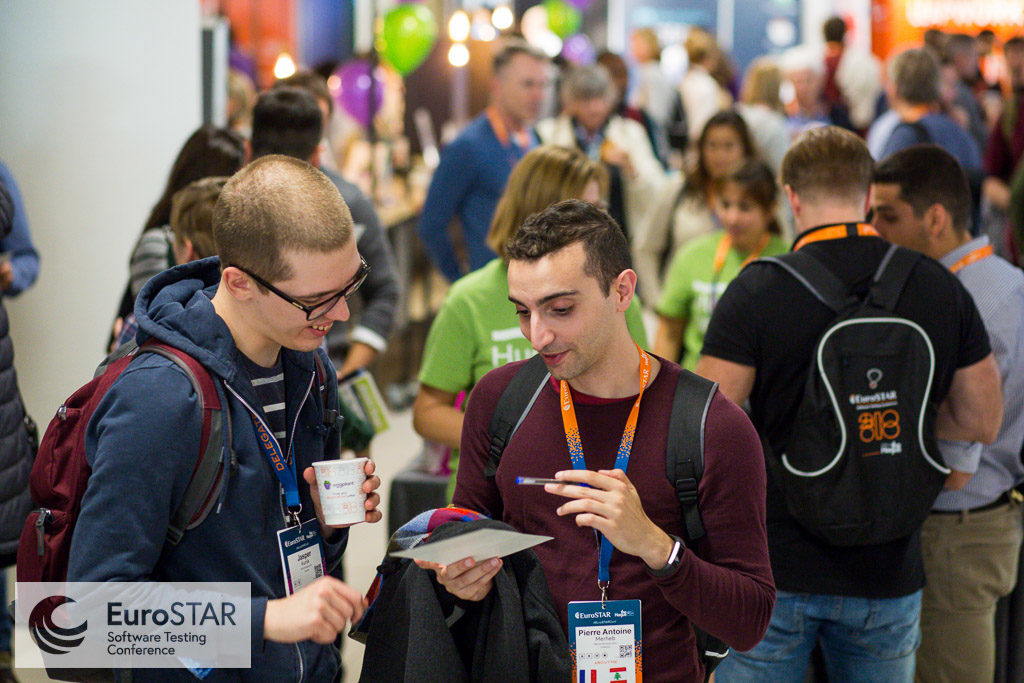
Attending a large conference can be exhilarating and daunting all at the same time. At EuroSTAR, we have lots of different ways to connect and meet new people so you can choose what suits you best.

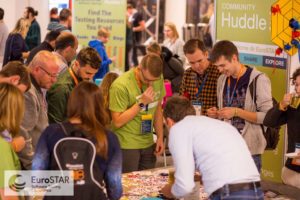
In addition to the networking opportunities over coffee, lunch and dinner, you can meet fellow testers as you pick your favourite stickers in the Huddle area, enjoy an informal Lean Coffee discussion, go for a jog, take in some yoga or take on a challenge in the Test Lab and lots more.

This year we also have our first ‘Speed Meet’.

When? Tue 12 Nov. – 15:00 – Terrace 2A – Level 2 @ Prague Congress Centre

Starting a conversation can be hard and this concept provides a structured approach to short bursts of discussions with multiple people in a 30-minute period.

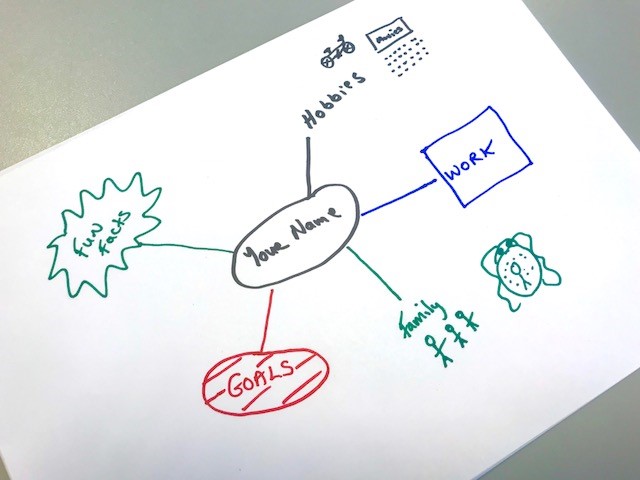
BEFORE you start and to help you get the conversation flowing, each person will draw a personal mind map. Some items that may appear on this might be Family, Goals, Work, Hobbies, Little Known Facts about yourself etc

Personal Mind Map

Everyone then gathers in a line/oval and will be ‘paired’. There is 5 minutes allotted to each ‘pair’ to converse before you move to the right and meet a new person.

Each ‘pair’ exchanges their mind maps and then ask questions based purely on the other person’s mind map. It makes for interesting conversations and above all, you can choose the topic on the mind map that you want to ask about and can opt not to ask about areas that you prefer not to speak about.

EuroSTAR has always been welcoming and for many it is their testing family. Echoing the famous poet, it is filled with ‘friends you are yet to meet’. For each person you pair with during the Speed Meet – You may only have a 5 minute conversation now, but if you have lots in common or burning questions to follow up on then you have an opportunity to continue the discussions during the conference.

Above all, this meet-up is very relaxed and whilst there are ‘rules’ to help facilitate the speed meeting, you can step out at any time if you prefer not to continue. Simply finish up as the switchover takes place and the remaining participants can adjust their pairs.

So all that remains is to go forth, meet & enjoy!


Filed Under: EuroSTAR Conference Tagged With: EuroSTAR Conference

Programme Chair Blog: Conferring: questions, discussions & sharing ideas

November 8, 2019 by Suzanne Meade

Continuing our series of EuroSTAR in poetry by our 2019 Programme Chair, Isabel Evans, as we approach the start of the conference, it is a great time to think about all the amazing people you are about to meet.

EuroSTARConf was created way back in 1993 to bring the testing and quality community together. It is THE largest software testing event in Europe and for some, it may be your first time at such a large event. First and foremost, we are your testing family. Everyone is here to revel in the shared learning and either get inspiration or help provide it. The EuroSTAR Community is truly amazing and you are going to love every minute of it!

If you are joining the conference for the first time, there are lots of people to meet including the world class line up of speakers. Isabel has given some thoughts on how to make the most of your time and tips on how to engage with the speakers.

Isabel Evans and Graham Freeburn

Haiku Poem from Isabel Evans

A conference is
for conferring. Ask. Listen. Speak.
Discuss. Explain. Hear.

There are thirty ways
to ask questions, eleven
ways to answer them.

You know them: Closed,
Open, Leading. Then Yes/no,
Full, Evasive, Lies.

Which ones help? Which
Hinder our dialogue?
Think before you speak.

Let’s be open
in our questions and answers,
speaking, listening.

Speakers like feedback:
Right time and place – constructive,
Thoughtful, engaged,

Give them praise – speaking
Is hard. Ask them about their
Topic and ideas.

Engaged dialogue
Constructively helps our growth
And progress, build us.

The 27th EuroSTAR Software Testing & QA Conference kicks off on Monday 11th November. We hope to see you there!

SEE TICKET OPTIONS

Filed Under: EuroSTAR Conference Tagged With: speakers

How to Sketchnote

September 25, 2019 by Suzanne Meade

Our 2019 EuroSTAR Community Sketchnote Reporter is Katja Budnikov and we have asked her to share some tips on How to Sketchnote. You might be attending the EuroSTAR Conference in Prague and fancy a new way of taking notes to remember all the wonderful learnings you will take away.

There is a jam packed programme at this year’s EuroSTAR Conference so take a look and plan in advance so you know which topics you’ll be benefiting from.

This is a blog from Katja and she would be delighted to hear from you if you’d like to strike up  conversation. Don’t forget to say ‘Hi’ when you meet her in Prague this November.

How to Sketchnote

I often get asked: “How do you do your sketchnotes?“ Therefore I wanted to summarise my experience and help you to get started with sketchnoting.

Why I started to Sketchnote?

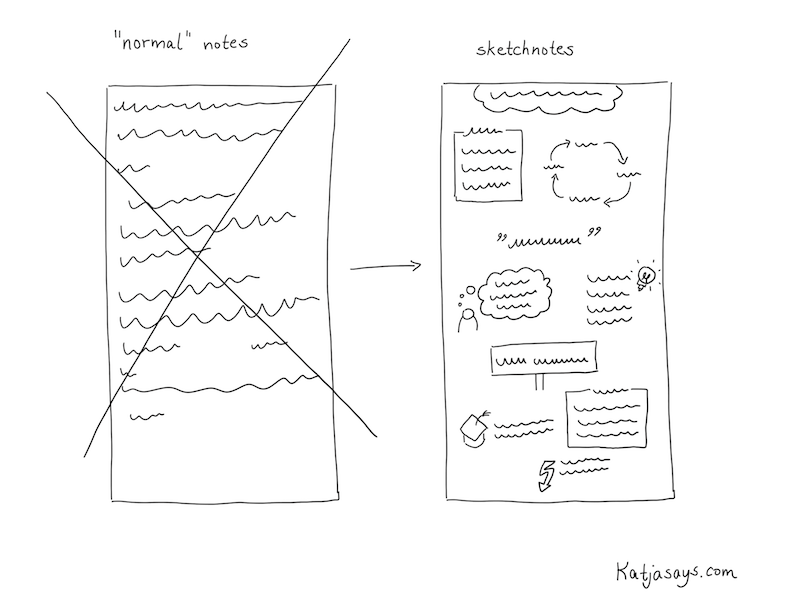
Well, I enjoy attending conferences and meetings. When I’m at an event, I take notes, so that I can remember things better. When I’m back home after a conference, I like to go through my notes and research things I found interesting (like tools, methods, etc.). But I often had the problem, that just writing down “normal“ notes either on my smartphone or with pen and paper wasn’t that effective. It wasn’t really easy to follow what was being said and I tended to write down too much unnecessary information so that I didn’t find the most interesting parts very easily. Also, I was sad that I couldn’t share those handwritten notes with others, as they weren’t really readable or beautiful. So I often transferred them to a document on my computer which I shared with colleagues or other interested people.

How to start sketchnoting

Here and there I saw people that did some sketchnotes or graphic recording at conferences. I thought that’s a cool idea, but I wasn’t sure if I can do that, as I’m not exactly the person who is a great artist. I didn’t think I can draw and that it would be very hard to get as good as those others. However, I really liked the idea of writing things down in a structured, readable way and playing with icons and colors. It is not only beautiful, but it’s also easier to remember stuff if you make it more attractive in a visual way. The other benefit is that you can share those visualizations with others. It is not possible to attend each and every event – there are just too many conferences around the world. So for me, it was always really interesting to follow people or hashtags on Twitter to see what is going on at events I couldn’t attend. Or even to see what other people share about the event I’m attending. With the help of sketchnotes, I was able to share my experience too.

The goal for me was to make my notes more beautiful for me so that I can follow along with my thoughts after returning home a little better. And also I wanted to share it with others so that they could get to know about the content as well. I thought: “If I can help one person to get an idea of what’s going on at an event I attend, that would be really awesome.” Spoiler: I now get a lot of responses for my sketchnotes and people seem to really enjoy that I share my experience in such a structured way.

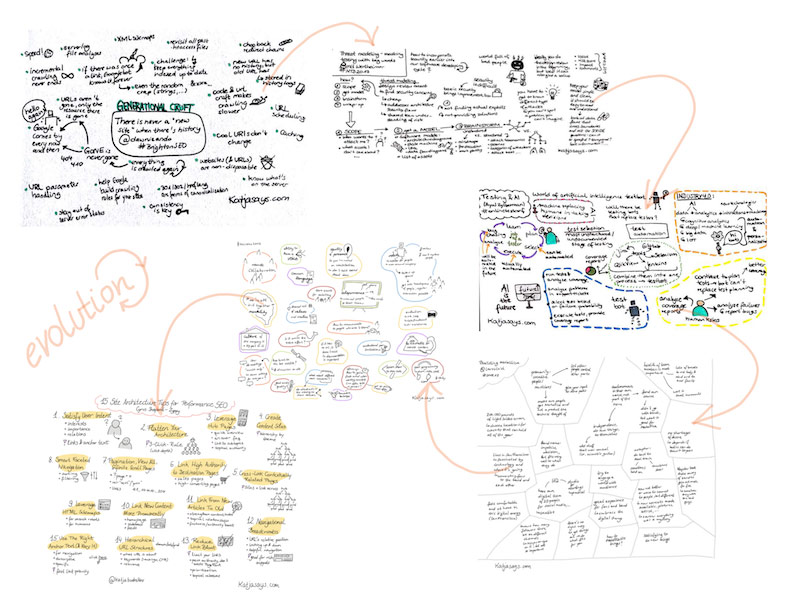
My Evolution of Sketchnoting

In the beginning I bought some notebooks and pens to start doing sketchnotes on paper. In the store, I got overwhelmed by the choice of colors so that I ended up buying almost every color in the store. The notebook I chose had thick pages so that the ink wouldn’t bleed through to the back of the paper and I chose the format A5, as it was easy to carry around and fit in small bags. Everything went well and I liked the feeling of writing and drawing with actual pens on paper, but the problem was the digitalising of the sketchnotes. There are loads of apps to make good pictures and even apps that add a whiteboard background to them to make the sketchnotes easier to read and of a better quality. But still, you have to take a proper picture. Which can be challenging at a conference, as there often isn’t enough light, or if there is light, you have a shadow on your sketchnote from the smartphone. Also, it takes time to take a good picture. You need to have a good underground (like a table, so that the sketchnote lies down in a flat way) or help from a second person and often you need to use a flashlight, which might annoy others around you. Therefore I started dreaming of a possibility to make the sketchnotes on an electronic device so that they are stored digitally from the beginning. This has a huge effect on the quality and you can share them in just some seconds.

I tried different solutions, like smart writing sets that use a pen that has an integrated camera that transfers what you write onto a screen. But they didn’t really satisfy me as not all the strokes I made with the pencil were detected and changing colors was really complicated. A friend of mine had an iPad and an Apple pencil and she allowed me to try to sketch something with it. And what can I say – it was love at first sight. I started saving money and bought an iPad and an Apple pencil for my birthday. Since then I’m doing my sketchnotes digitally. I tried lots of different apps until I chose “Sketches“ by Tayasui. It is very easy to use and has all the functions I need. There are more elaborate apps like Procreate, but those have just too much not needed functionality for me. However, everyone has to choose an app that is most suitable for them.

Evolving your sketchnotes
How to do Sketchnotes
  1. Prepare your schedule of the event
  2. Prepare the sketchnotes before the event
  3. At the event: Find a good spot
  4. Listen carefully, don’t get distracted
  5. Start with writing down text
  6. Add some borders etc. for the structure
  7. Add some icons to the text
  8. Add some colors
  9. Sign the sketchnote, add your handle
  10. Share your sketchnote with others
  11. Enjoy the reactions


Now you know why I started to sketchnote and what tools I use. So let’s come to the interesting part: How do I do my sketchnotes. I share my way of sketchnoting because everybody needs to find their own path.

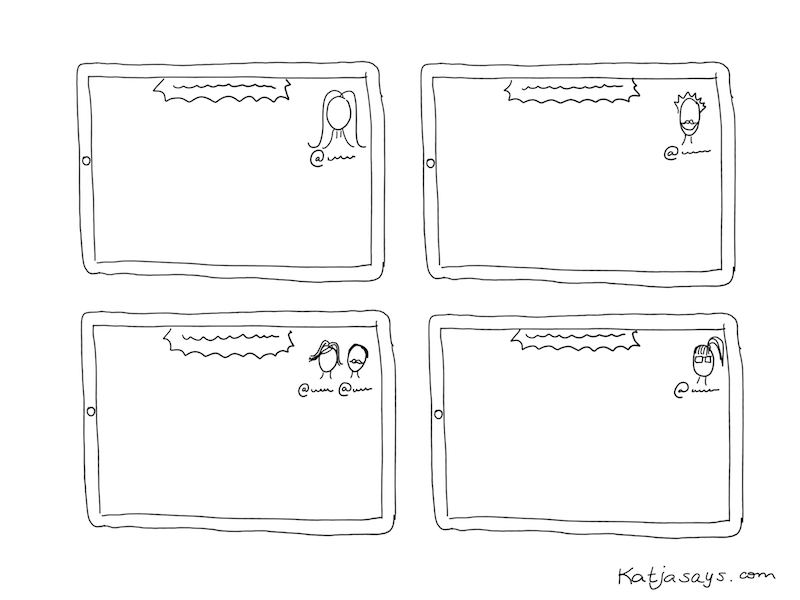
Before I attend a conference, I have a thorough look at the agenda. I choose the talks I want to see and write those down. As I want to share my sketchnotes of the talks on Twitter, I search for the Twitter handles of the speakers and write them down next to the talk name. That helps a lot because after the talk there is usually not enough time to search for the speaker on Twitter (if they don’t mention their handle on their presentation). For the last couple of conferences, I started to draw portraits of the speakers. It’s just something I want to try and what I enjoy more and more. I prepare those portraits in advance. So after choosing the talks I want to attend, I prepare sketchnotes for them. I write down the title of the talk, the Twitter handle of the speaker and sometimes I draw a speaker portrait from the pictures that are on the website of the conference.

How to prepare your sketchnote

Then the day of the conference arrives. In the room, I try to find a spot where I can sit quietly and won’t be interrupted that much. Usually, I like to sit at the end of a row, so that I can get up fast to change rooms and also because at least on one side there’s nobody sitting next to me who might be shaking my chair. The most important part is to have a good look at the presentation screen so that I can see and read everything easily. I have to listen very thoroughly what the speaker is talking about. Usually, in the beginning, there is some time spent on an introduction of the speaker and the speaker’s workplace. I don’t write that down. The challenge is to filter the information that is important and write it down. And at the same time continue to listen what the speaker continues to talk about. In the beginning, this is really hard and you can get the impression that you miss important stuff, but you will get used to it and it will get a little easier. So I’m very focused when listening to a talk. Priority number one is to write down the most important information. I try to think about what somebody needs to read to be able to understand what the talk was about, even if that person wasn’t present. Then, if there is time, I add some small icons to make the sketchnote more attractive visually. In the end, I add colors (sometimes during the talk if there is some time left). My time scope is: Start with a sketchnote the minute the speaker starts talking, finish the sketchnote when the talk is over and share it on Twitter immediately.

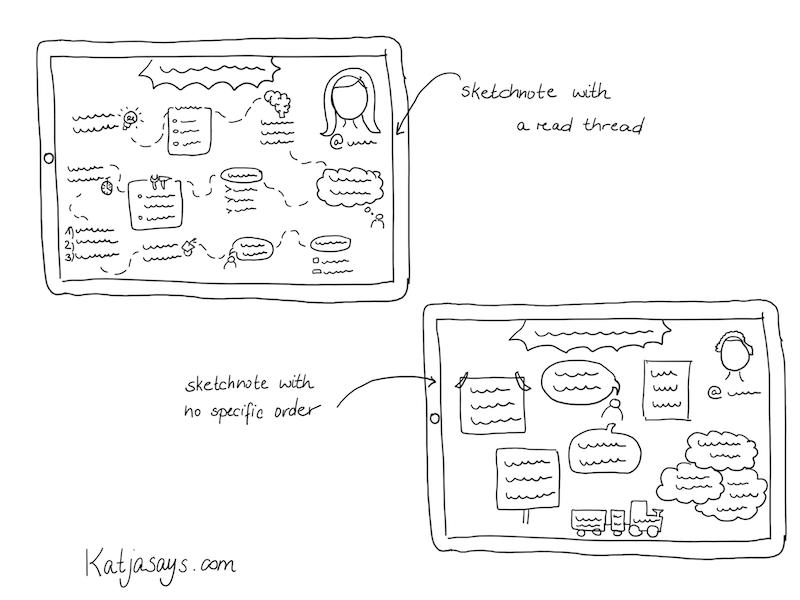
With experience, I got a good routine and now I know better how to fit a talk onto one page and how to structure it in an easy to follow way. But everybody has to find an own style of presenting the information. That can be in terms of icons you use (I have a set of icons I use regularly and I add some new once upon the appearance of new keywords and information), the color scheme (I now tend to use only a few colors to not overwhelm the reader) or the structure. Typically I try to use a red thread so that the reader can follow the information and knows, where the talk started or ended. Some information is written down in borders like boxes or signs or clouds or whatever seems fitting for me. Some talks don’t depend on following an order – then I just use borders or colors to separate the topics from each other. You just need to find a way that is most suitable for you – even if it differs a lot from the sketchnote you have seen others doing. The „typical“ sketchnotes I saw before I started doing some myself where highly visual with a lot of pictures, icons or colors and not so much text. Those are really beautiful but they don’t fulfill what I expect from my sketchnotes. I want them to be understandable for everybody and that, at least in my opinion, requires some more text.

How to organise your sketchnotes
Tips for New Sketchnoters
  1. Do it and overcome your fear
  2. Practice by sketchnoting videos
  3. Do them for yourself
  4. Find your own style
  5. Start small

The most important thing is: Just do it. Overcome your fear of not being good enough and just start doing sketchnotes. Forget the thought of them having to be perfect. Just try it. First, you can start with writing down the information and structure it in a way you are comfortable with. For example by using borders, boxes, different shapes to surround the information and arrows to connect it and to show the order. Then you can try to add some icons every now and then and to work with colors.

To get a little experience, you don’t need to do the sketchnote in public, for example in the middle of a crowd at a conference, but you can start to do sketchnotes of podcasts or recordings.

Forget the thought of somebody not liking your sketchnote. I never saw that somebody said that a sketchnote looks ugly – I always got nice feedback because at least you try to do them and they look much better than „normal“ notes that people make. Do the sketchnotes for yourself and not for somebody. If you share them and you don’t get any reaction – don’t be sad. At least you have some beautiful notes for yourself.

Find your own style. You are not comfortable with drawing portraits? Then don’t do it. You don’t know how to draw specific items? Then don’t draw them. Evolve at your own pace. Start small and try to add more and more things to your sketchnote until you find a format you are comfortable with. When you have found your style, try to use it consistently so that people can recognize your work. Don’t be afraid to experiment.

Find out more about Katja’s on her website Katjasays and you can follow her on twitter for updates.

We hope you will join us at this year’s EuroSTAR Conference where Katja will be sketchnoting. There are a range of tickets available from single day to 4 day. Tutorials always start filling up in September so we recommend booking as soon as possible.

SEE TICKET OPTIONS

Filed Under: EuroSTAR Conference Tagged With: EuroSTAR Conference

Programme Chair Blog: Which day is best for me at EuroSTAR?

September 19, 2019 by Suzanne Meade

Our 2019 Programme Chair, Isabel Evans loves literature and poetry and has been giving her take on the upcoming EuroSTAR Software Testing Conference through the medium of haiku poetry. See more about the beackground and haiku in our earlier Programme Chair blog 

EuroSTAR has been bringing software testers together for 27 years. The conference is led by the testing community, the need for connections and conversations. Each year it is like a homecoming for many of the most influential testers in our industry as they catch up with their EuroSTAR family and also meet new attendees, equally passionate about software quality. There are more than 350 companies attending EuroSTAR each year, many come every year but sometimes the people change. We are always conscious of creating a welcoming space for new attendees and alumni to network and be inspired.

A regular question from new delegates considering their first software testing conference is ‘Which day would be best for me to attend?’. A great question and of course we would say all four days 🙂 .. but .. if you have less time available, we do have single day and 2.5 day ticket options available.

Take a look at the conference programme and see what talks stand out for you. There are lots of topics to choose from and so much to learn from each of the incredible speakers. Isabel Evans is also on hand with some short haiku poems to give you insight in each day at the EuroSTAR Conference.

SEE 2019 PROGRAMME

Why go to the conference on Monday?

Monday – Full day – learn!

Seven tutorials – choose!

Immerse, educate

Why go to the conference on Tuesday?

More Tutorials

Tuesday, and keynotes and talks

A full day learning

Why go to the conference on Wednesday?

Wednesday, so much

To share – talks, workshops, keynotes

Confer, Discuss, Learn

Why go to the conference on Thursday?

On Thursday, we have

Talks, workshops, keynotes. All great!

All day! Join us! Do!

We hope this helps give you an idea of each day and as a added guide we have included a synopsis below.

SEE TICKET OPTIONS

Day by Day Schedule

The EuroSTAR conference programme is jam-packed of exciting talks from expert speakers. There are lots of ‘corridor track’ events and EuroSTAR Extras so stayed tuned for each announcement – Sign up to the EuroSTAR mailing list and don’t miss a thing!

[/vc_column_text][/vc_column][/vc_row][vc_row equal_height=”yes”][vc_column width=”1/4″][vc_column_text]

Mon, 11 Nov.

6 Full Day Tutorials

Sit Down Lunch

Evening Pub Quiz

[/vc_column_text][/vc_column][vc_column width=”1/4″][vc_column_text]

Tue, 12 Nov.

6 Half Day Tutorials

1 Keynote Talk

8 Track Sessions

Lightning Talks

Expo Opens at Lunch

Tester’s Party

Community Dinner

[/vc_column_text][/vc_column][vc_column width=”1/4″][vc_column_text]

Weds, 13 Nov.

2 Keynote Talks

Next Generation Keynotes

16 Track Sessions

2 Workshops

Expo Lunch

Networking Drinks

Awards Night

[/vc_column_text][/vc_column][vc_column width=”1/4″][vc_column_text]

Thu, 14 Nov.

2 Keynote Talks

10 Track Sessions

3 Workshops

Expo Lunch

Prize-Giving

[/vc_column_text][/vc_column][/vc_row][vc_row][vc_column][vc_row_inner][vc_column_inner][vc_column_text]

[/vc_column_text][/vc_column_inner][/vc_row_inner][/vc_column][/vc_row]

Filed Under: EuroSTAR Conference Tagged With: EuroSTAR Conference, speakers

Introducing our Community Sketchnote Reporter

September 10, 2019 by Suzanne Meade

Each year at the EuroSTAR Conference, we welcome members of the community as ‘reporters’ who share their experience with the community on EuroSTAR Huddle and our social channels.

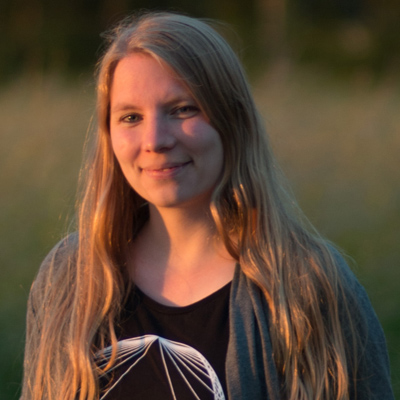
This year we are delighted to welcome Katja Budnikov as one of our Community Reporters. Katja is a sketchnoter from Northern Germany known Katja Budnikov sketchnoterfor her website Katjasays.com where she presents her sketchnotes of conference talks, webinars and articles. She loves attending testing and developer events like EuroSTAR and sharing her experience and learnings with others. That’s why she started with sketchnoting in 2016. First analog with pen and paper, now digitally with an iPad and Apple Pencil.


In her work life she started out in online marketing, then specialised in search engine optimisation and now is a quality assurance specialist who both does manual and automated software testing. Katja is a fan of websites with great quality.

In her day to day life Katja loves photography, especially taking photos of nature, though at the moment most of her pictures taken are from her dog Auri, a young Australian Shepherd, who is super cute and fun to take photos of. Katja loves to spend time with her dog and her partner, going out for walks, traveling and eating cake at a nearby coffee shop with a beautiful garden. Sometimes she is hacking on some projects of her own like a webcam to be able to watch her dog when she is out or automating her home. She recently had a lot of fun furnishing and decorating an apartment that she is renting out to guests, including refurbishing some of the furniture herself.

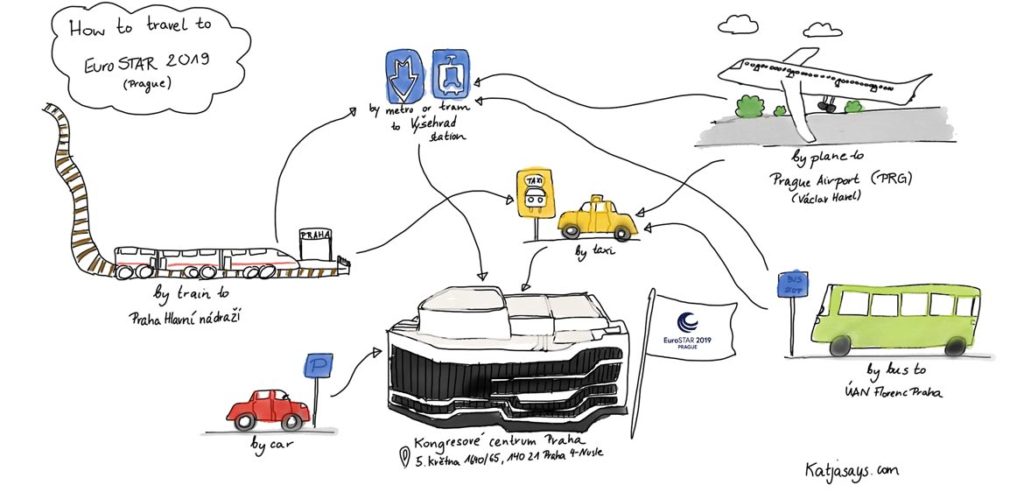
To begin her sketchnoting, Katja is shares how attendees can travel to the EuroSTAR Software Testing Conference in Prague, 11-14 Nov. If you are planning on flying, you will be well served by flight options. Fifty two airlines fly into Václav Havel Airport Prague from 110 destinations in 42 countries. There are lots of rail options too and if you are in central Prague, you can join us at the Prague Congress Centre by hopping on the metro line C (red line) to station “Vyšehrad”, which is right in front of the congress centre.

For Prague accommodation options at delegate rates see the EuroSTAR Hotel Page.

We look forward to welcoming you to the 27th EuroSTAR Software Testing Conference.

Getting to the EuroSTAR Conference


See more of Katja’s sketchnotes on her website Katjasays and you can follow her on twitter for updates.

Filed Under: EuroSTAR Conference, Uncategorized Tagged With: EuroSTAR Conference

Enter the 2019 RisingSTAR Award

August 1, 2019 by Suzanne Meade

The RisingSTAR Award, supported by EuroSTAR Conferences, James Lyndsay and Bart Knaack, was created to stimulate innovation and encourage new ideas in the software testing industry. The RisingSTAR brings together many of the most influential testing minds as a supporting group to help develop winning ideas for the overall benefit of the industry.

We are calling for entries for the 2019 RisingSTAR Award. Perhaps you would like to enter or maybe you know someone who would be ideal for this recognition and mentoring.

How to Enter

This is how you can become the 2019 RisingSTAR Award Winner:

  1. Go to EuroSTAR Huddle & read the guidelines
  2. Submit your Application before 31st August 2019
  3. The RisingSTAR Committee will be in touch regarding your idea & supporting materials
  4. Once selected as a finalist, you will be featured on EuroSTAR Huddle
  5. The RisingSTAR Supporters (mentors) will vote for the best testing idea that will benefit the wider community
  6. The Winner will be flown to #EuroSTARConf in November to accept their prize

What is a RisingSTAR Idea?

A new idea or concept that you have worked to a point where it is ready to share. It may be something ground-breaking that will reverberate through the testing community OR perhaps you see a gap in the current methodologies and approaches and have an idea to help make a specific area of testing more efficient. The mentoring and global connections of the Supporters will help to develop your idea further and bring it into being.

Types of Ideas we are looking for:

  • Ideas that challenge existing testing practices.
  • A novel application or spin on existing testing techniques to improve them further.
  • Cutting-edge ideas from other fields that can be applied to testing.
  • A way to take advantage of emerging trends to impact the future of testing.
  • A new perspective on a long-running, perplexing problem.

For more details see the RisingSTAR Award page on EuroSTAR Huddle.

RisingSTAR Award benefits

RisingSTAR Mentoring

The 2018 winner was Sanne Visser of NS Netherlands. Sanne’s idea was to develop a testing framework for dealing with Blockchain-based applications as well as forming a Blockchain testing group to share knowledge to benefit the entire testing community.

As the winner, Sanne receive access to mentorship and wider connections of an incredible array of global testers – all very high profile and influential. Sanne will use that support to help her develop a workshop with a demo-blockchain environment, allowing her to teach testers about the technology, and to let them experiment with ways it might be tested.

We believe in helping the community and each of the Supporting Group contribute their time and knowledge to helping the winner to develop their idea and share this with the testing community. Where else would you have direct connections with such a group of testing experts, all committed to helping you grow your idea?

As the current RisingSTAR winner, Sanne will be provided with an ongoing platform on the EuroSTAR Huddle online community to update on her progress as well as an opportunity to present the overall concept and updates at this years’s EuroSTAR Software Testing Conference in Prague.

Beyond recognising and rewarding great ideas, the RisingSTAR Award is about encouraging new voices and developing future leaders in testing. Great ideas can come at any time and if you have a great idea that could change the testing world, don’t wait, submit now! Entries close 312st August 2019.

RisingSTAR Award Enter Now

Filed Under: Uncategorized Tagged With: EuroSTAR Conference

EuroSTAR Volunteers

July 25, 2019 by Suzanne Meade

Let’s celebrate testing together! We would like to invite you to be part of this years Conference team at the 27th EuroSTAR Conference in Prague, taking place Nov. 11-14!

This is a super fun and exciting way to get involved directly with the testing community.

Here are the areas that you can be part of at this years’ conference!

Test Lab

EuroSTAR Cadet

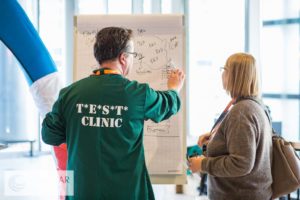
Test Clinic

Community Huddle

We want to hear from you! What area do you want to be part of? Tell us by entering here. entries close Aug 31st!

Benefits of volunteering at #EuroSTARConf 

  1. Networking with the testing community
  2. Choose from 60+ sessions to attend
  3. Share your thoughts and ideas for the conference
  4. Learn from industry experts

and so much more – view the reasons to attend EuroSTAR

ENTER VOLUNTEER PROGRAMME TODAY 

Filed Under: Community Hub, EuroSTAR Conference, Test Lab Tagged With: EuroSTAR Conference

  • « Previous Page
  • Page 1
  • Page 2
  • Page 3
  • Next Page »
  • Code of Conduct
  • Privacy Policy
  • T&C
  • Media Partners
  • Contact Us

part of the